PR 330 review, round 4

rancher-ai-ui PR 330 (torchiaf), shell 3.0.15-rc.4 bump and look-and-feel fixes, at 5d64721, reviewed 2026-11-09. Four new commits since round 3: d76c6e0, d7cc2d3, 757a371, 5d64721.

Preview: rancheraipr330r.mf-created-dashboard.ui.rancher.space, built from 5d64721, backend mf 2.16 (rancher.13.48.147.135.sslip.io). Also: the same build against mf-rancher-16 (llm-mock), and the shared main preview rebuilt today from f8d4357.

Where it stands: no functional bug, four small comments, e2e needs a re-run

1. Link colour or theme colour, case by case (light theme)

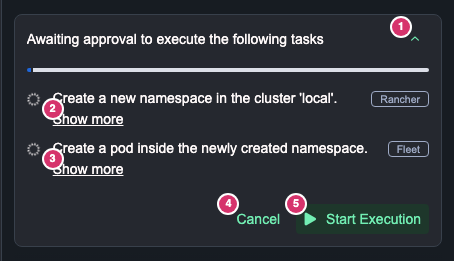
Every button and link in each chat case, measured on the real package swapped into mf 2.16. The chat replies are scripted in the browser, so this shows the UI, not a real agent conversation. PR before the rule is f4a5fa6, the rebased round-3 commit: variant="link" without the temporary colour rule, so it shows what the shell's link style looks like on these buttons (the two planning Cancels were still tertiary in that commit, they moved to link in d76c6e0). Highlighted rows differ from main.

Link blue --link #4871c7Theme green --on-tertiary #025937Secondary green --on-secondary #006b46Primary green --primary #008657Body text --body-text #141419
Case and elementmain f8d4357PR before the rule f4a5fa6PR now 5d64721
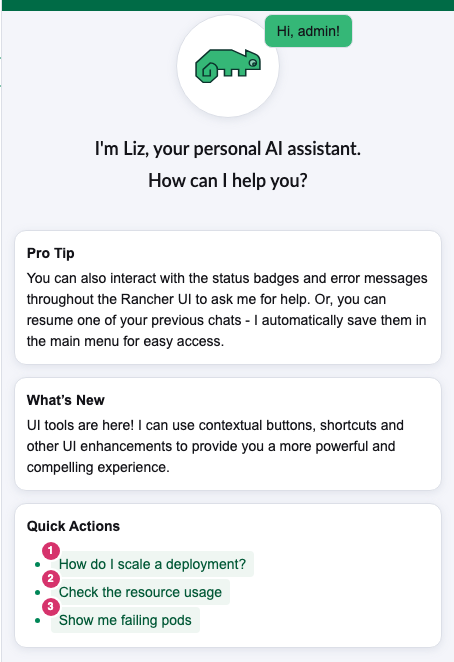
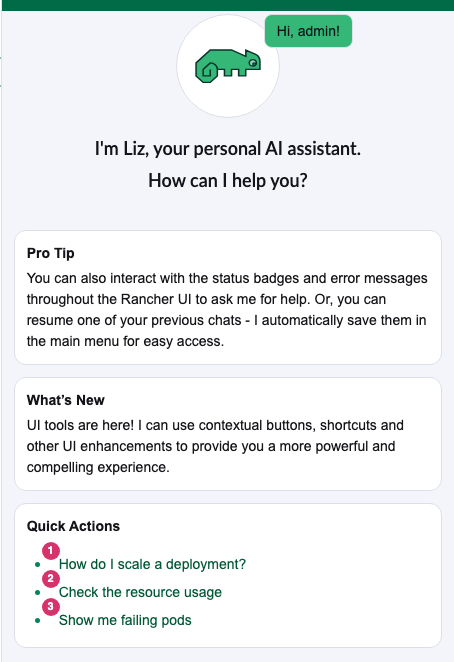
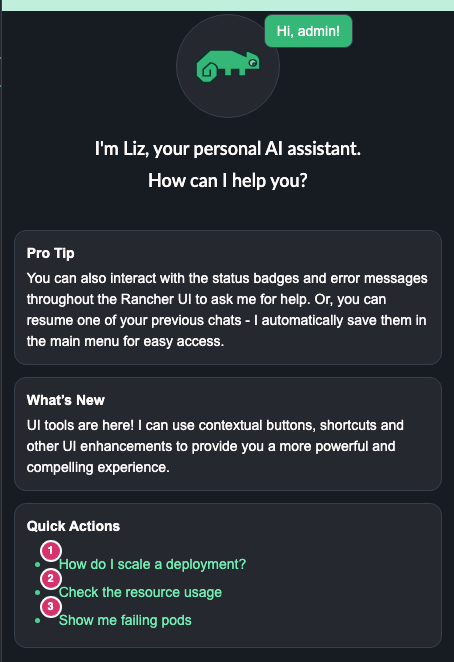
Welcome message
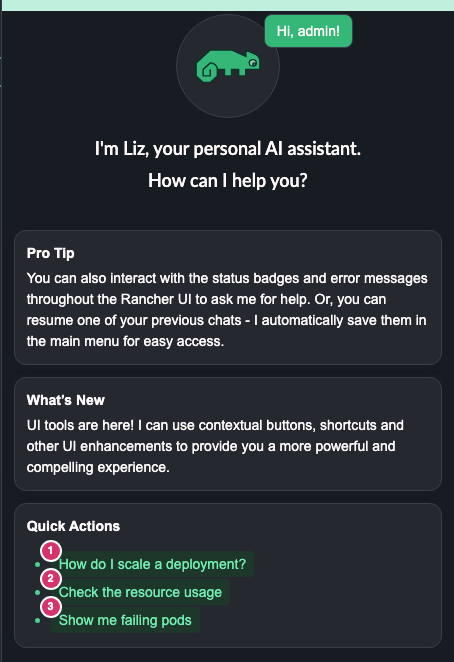
#1 How do I scale a deployment?
Theme green at rest, light green
Theme green on hover, green tint
variant-tertiary
Theme green at rest, no background
Theme green on hover, green tint
variant-tertiary
Theme green at rest, no background
Theme green on hover, green tint
variant-tertiary
Welcome message
#2 Check the resource usage
Theme green at rest, light green
Theme green on hover, green tint
variant-tertiary
Theme green at rest, no background
Theme green on hover, green tint
variant-tertiary
Theme green at rest, no background
Theme green on hover, green tint
variant-tertiary
Welcome message
#3 Show me failing pods
Theme green at rest, light green
Theme green on hover, green tint
variant-tertiary
Theme green at rest, no background
Theme green on hover, green tint
variant-tertiary
Theme green at rest, no background
Theme green on hover, green tint
variant-tertiary
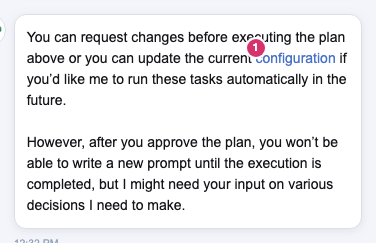
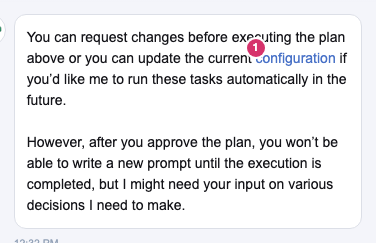
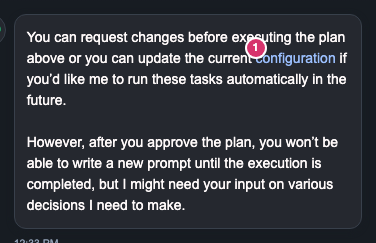
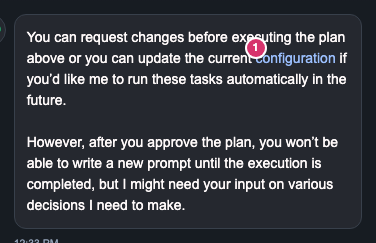
Plan approval message
#1 configuration
Link blue at rest, no background
Link blue on hover, no background
<a>
Link blue at rest, no background
Link blue on hover, no background
<a>
Link blue at rest, no background
Link blue on hover, no background
<a>
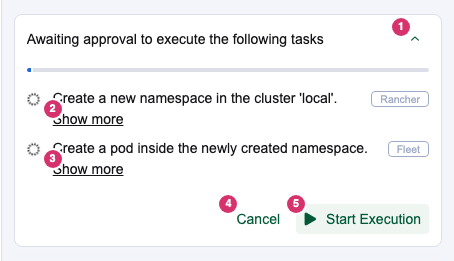
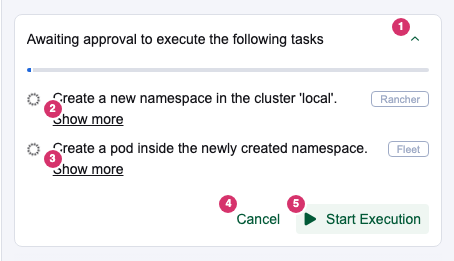
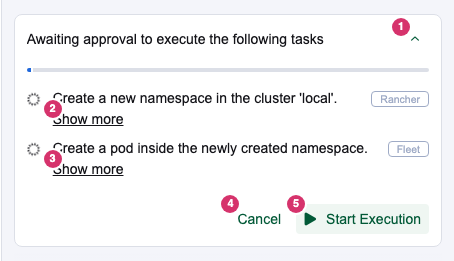
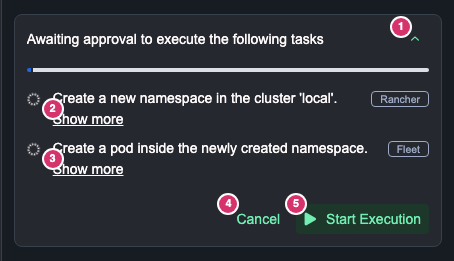
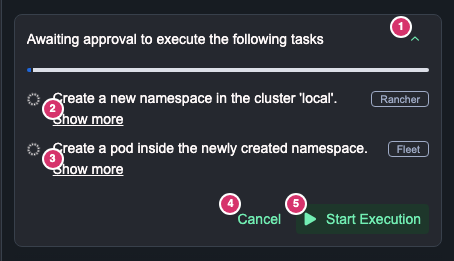
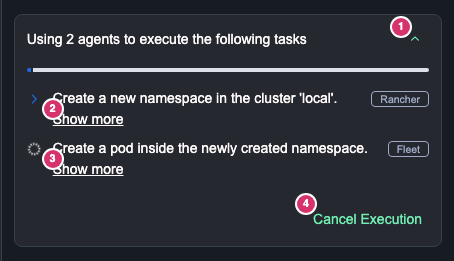
Plan waiting for approval
#1 Collapse
Theme green at rest, no background
Theme green on hover, no background
variant-ghost
Theme green at rest, no background
Theme green on hover, no background
variant-ghost
Theme green at rest, no background
Theme green on hover, no background
variant-ghost
Plan waiting for approval
#2 Show more
Body text at rest, no background
Body text on hover, no background
variant-ghost
Body text at rest, no background
Body text on hover, no background
variant-ghost
Body text at rest, no background
Body text on hover, no background
variant-ghost
Plan waiting for approval
#3 Show more
Body text at rest, no background
Body text on hover, no background
variant-ghost
Body text at rest, no background
Body text on hover, no background
variant-ghost
Body text at rest, no background
Body text on hover, no background
variant-ghost
Plan waiting for approval
#4 Cancel
Theme green at rest, no background
Theme green on hover, green tint
variant-tertiary
Theme green at rest, no background
Theme green on hover, green tint
variant-tertiary
Theme green at rest, no background
Theme green on hover, blue tint
variant-link
Plan waiting for approval
#5 Start Execution
Theme green at rest, light green
Theme green on hover, green tint
variant-tertiary
Theme green at rest, light green
Theme green on hover, green tint
variant-tertiary
Theme green at rest, light green
Theme green on hover, green tint
variant-tertiary
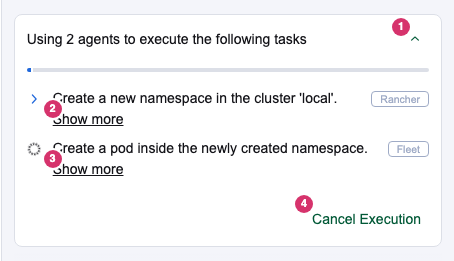
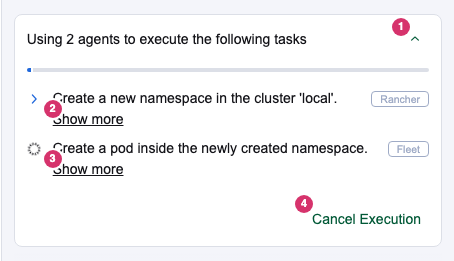
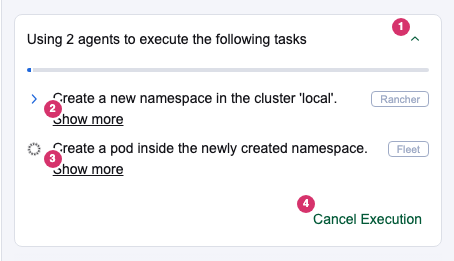
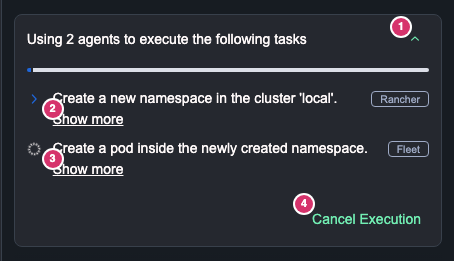
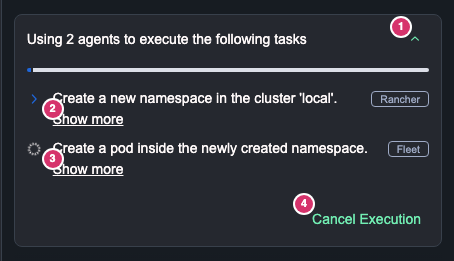
Plan running
#1 Collapse
Theme green at rest, no background
Theme green on hover, no background
variant-ghost
Theme green at rest, no background
Theme green on hover, no background
variant-ghost
Theme green at rest, no background
Theme green on hover, no background
variant-ghost
Plan running
#2 Show more
Body text at rest, no background
Body text on hover, no background
variant-ghost
Body text at rest, no background
Body text on hover, no background
variant-ghost
Body text at rest, no background
Body text on hover, no background
variant-ghost
Plan running
#3 Show more
Body text at rest, no background
Body text on hover, no background
variant-ghost
Body text at rest, no background
Body text on hover, no background
variant-ghost
Body text at rest, no background
Body text on hover, no background
variant-ghost
Plan running
#4 Cancel Execution
Theme green at rest, no background
Theme green on hover, green tint
variant-tertiary
Theme green at rest, no background
Theme green on hover, green tint
variant-tertiary
Theme green at rest, no background
Theme green on hover, blue tint
variant-link
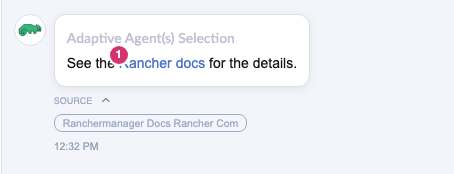
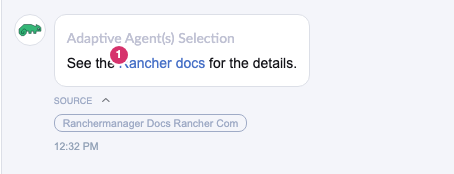
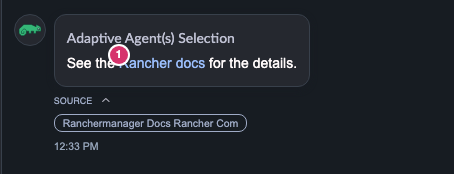
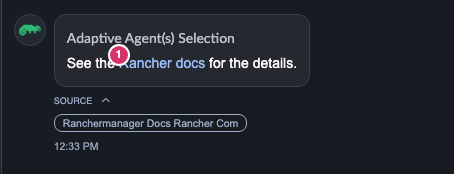
Answer with a link and a source
#1 Rancher docs
Link blue at rest, no background
Body text on hover, no background
<a>
Link blue at rest, no background
Body text on hover, no background
<a>
Link blue at rest, no background
Body text on hover, no background
<a>
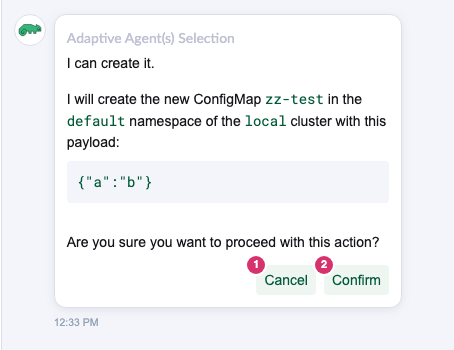
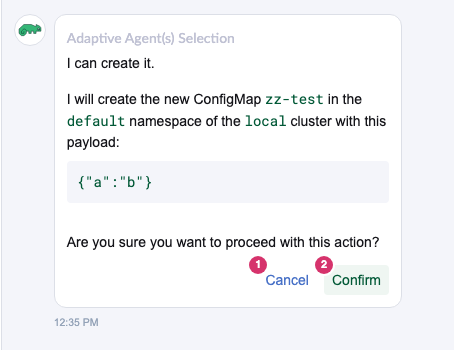
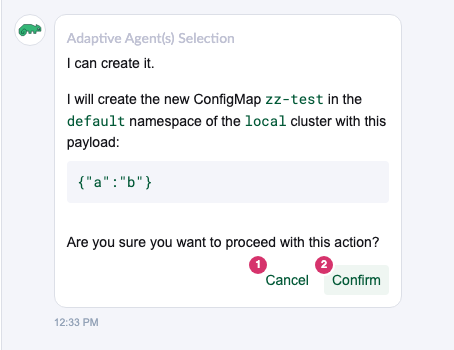
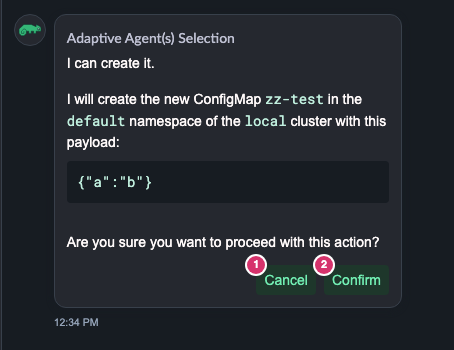
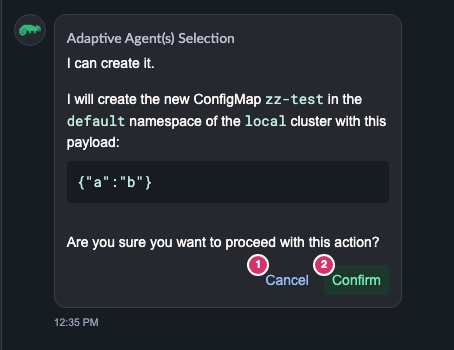
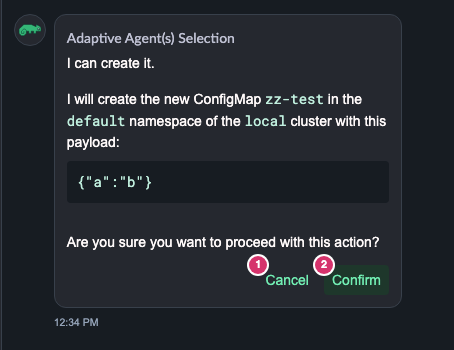
Confirmation before a change
#1 Cancel
Theme green at rest, light green
Theme green on hover, green tint
variant-tertiary
Link blue at rest, no background
Body text on hover, blue tint
variant-link
Theme green at rest, no background
Theme green on hover, blue tint
variant-link
Confirmation before a change
#2 Confirm
Theme green at rest, light green
Theme green on hover, green tint
variant-tertiary
Theme green at rest, light green
Theme green on hover, green tint
variant-tertiary
Theme green at rest, light green
Theme green on hover, green tint
variant-tertiary
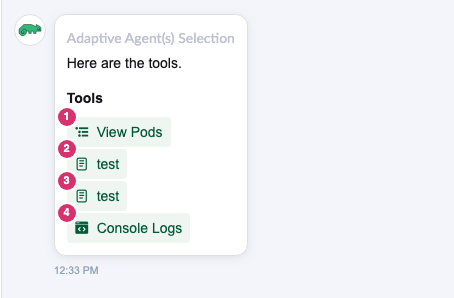
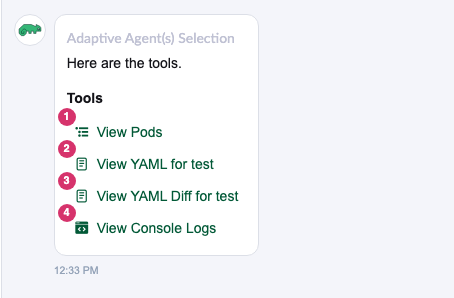
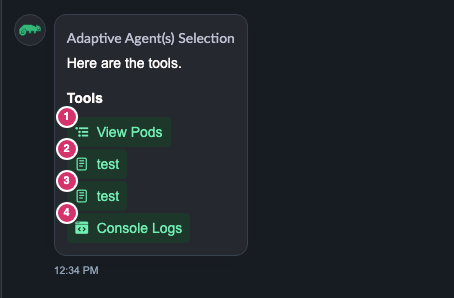
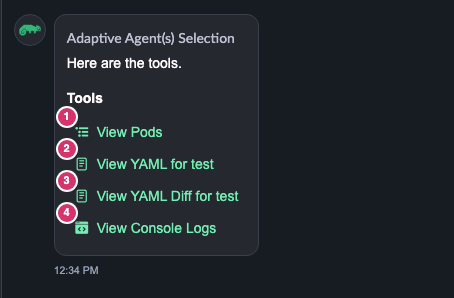
UI tools under an answer
#1 View Pods
Theme green at rest, light green
Theme green on hover, green tint
variant-tertiary
Theme green at rest, no background
Theme green on hover, green tint
variant-tertiary
Theme green at rest, no background
Theme green on hover, green tint
variant-tertiary
UI tools under an answer
#2 View YAML for test
main: test
Theme green at rest, light green
Theme green on hover, green tint
variant-tertiary
Theme green at rest, no background
Theme green on hover, green tint
variant-tertiary
Theme green at rest, no background
Theme green on hover, green tint
variant-tertiary
UI tools under an answer
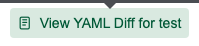
#3 View YAML Diff for test
main: test
Theme green at rest, light green
Theme green on hover, green tint
variant-tertiary
Theme green at rest, no background
Theme green on hover, green tint
variant-tertiary
Theme green at rest, no background
Theme green on hover, green tint
variant-tertiary
UI tools under an answer
#4 View Console Logs
main: Console Logs
Theme green at rest, light green
Theme green on hover, green tint
variant-tertiary
Theme green at rest, no background
Theme green on hover, green tint
variant-tertiary
Theme green at rest, no background
Theme green on hover, green tint
variant-tertiary
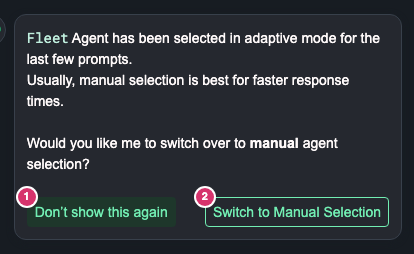
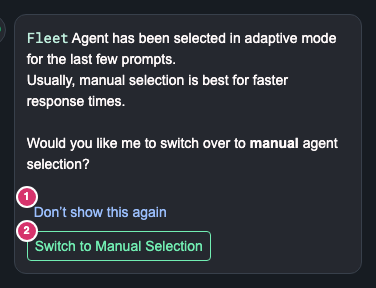
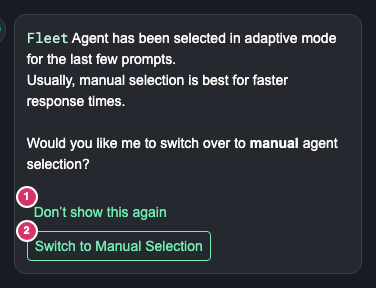
Agent recommendation (system message)
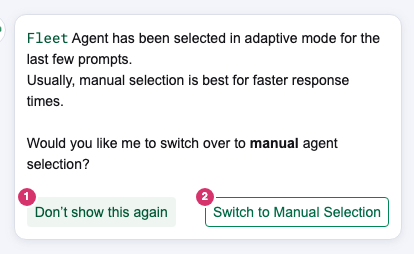
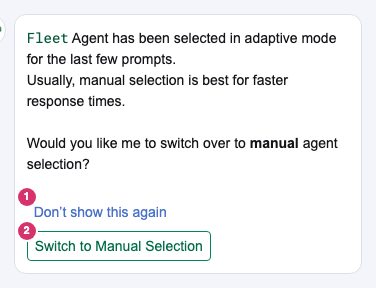
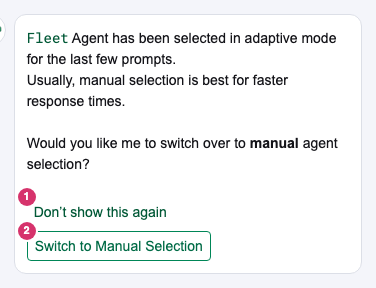
#1 Don’t show this again
Theme green at rest, light green
Theme green on hover, green tint
variant-tertiary
Link blue at rest, no background
Body text on hover, blue tint
variant-link
Theme green at rest, no background
Theme green on hover, blue tint
variant-link
Agent recommendation (system message)
#2 Switch to Manual Selection
Secondary green at rest, white
Secondary green on hover, light green
variant-secondary
Secondary green at rest, white
Secondary green on hover, light green
variant-secondary
Secondary green at rest, white
Secondary green on hover, light green
variant-secondary
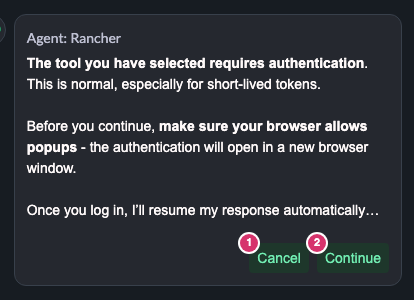
MCP sign-in request
#1 Cancel
Theme green at rest, light green
Theme green on hover, green tint
variant-tertiary
Link blue at rest, no background
Body text on hover, blue tint
variant-link
Theme green at rest, no background
Theme green on hover, blue tint
variant-link
MCP sign-in request
#2 Continue
Theme green at rest, light green
Theme green on hover, green tint
variant-tertiary
Theme green at rest, light green
Theme green on hover, green tint
variant-tertiary
Theme green at rest, light green
Theme green on hover, green tint
variant-tertiary
Screenshots per case (numbers match the table)

Welcome message

main-light welcome-scope.png
main f8d4357
pr-light welcome-scope.png
PR now 5d64721
Each element, at rest and on hover
#main f8d4357
rest / hover
PR now 5d64721
rest / hover
1 How do I scale a deployment?main-light welcome-1-rest.pngmain-light welcome-1-hover.pngpr-light welcome-1-rest.pngpr-light welcome-1-hover.png
2 Check the resource usagemain-light welcome-2-rest.pngmain-light welcome-2-hover.pngpr-light welcome-2-rest.pngpr-light welcome-2-hover.png
3 Show me failing podsmain-light welcome-3-rest.pngmain-light welcome-3-hover.pngpr-light welcome-3-rest.pngpr-light welcome-3-hover.png

Plan approval message

main-light approval-scope.png
main f8d4357
pr-light approval-scope.png
PR now 5d64721
Each element, at rest and on hover
#main f8d4357
rest / hover
PR now 5d64721
rest / hover
1 configurationmain-light approval-1-rest.pngmain-light approval-1-hover.pngpr-light approval-1-rest.pngpr-light approval-1-hover.png

Plan waiting for approval

main-light plan-pending-scope.png
main f8d4357
norule-light plan-pending-scope.png
PR before the rule f4a5fa6
pr-light plan-pending-scope.png
PR now 5d64721
Each element, at rest and on hover
#main f8d4357
rest / hover
PR before the rule f4a5fa6
rest / hover
PR now 5d64721
rest / hover
1 Collapsemain-light plan-pending-1-rest.pngmain-light plan-pending-1-hover.pngnorule-light plan-pending-1-rest.pngnorule-light plan-pending-1-hover.pngpr-light plan-pending-1-rest.pngpr-light plan-pending-1-hover.png
2 Show moremain-light plan-pending-2-rest.pngmain-light plan-pending-2-hover.pngnorule-light plan-pending-2-rest.pngnorule-light plan-pending-2-hover.pngpr-light plan-pending-2-rest.pngpr-light plan-pending-2-hover.png
3 Show moremain-light plan-pending-3-rest.pngmain-light plan-pending-3-hover.pngnorule-light plan-pending-3-rest.pngnorule-light plan-pending-3-hover.pngpr-light plan-pending-3-rest.pngpr-light plan-pending-3-hover.png
4 Cancelmain-light plan-pending-4-rest.pngmain-light plan-pending-4-hover.pngnorule-light plan-pending-4-rest.pngnorule-light plan-pending-4-hover.pngpr-light plan-pending-4-rest.pngpr-light plan-pending-4-hover.png
5 Start Executionmain-light plan-pending-5-rest.pngmain-light plan-pending-5-hover.pngnorule-light plan-pending-5-rest.pngnorule-light plan-pending-5-hover.pngpr-light plan-pending-5-rest.pngpr-light plan-pending-5-hover.png

Plan running

main-light plan-running-scope.png
main f8d4357
norule-light plan-running-scope.png
PR before the rule f4a5fa6
pr-light plan-running-scope.png
PR now 5d64721
Each element, at rest and on hover
#main f8d4357
rest / hover
PR before the rule f4a5fa6
rest / hover
PR now 5d64721
rest / hover
1 Collapsemain-light plan-running-1-rest.pngmain-light plan-running-1-hover.pngnorule-light plan-running-1-rest.pngnorule-light plan-running-1-hover.pngpr-light plan-running-1-rest.pngpr-light plan-running-1-hover.png
2 Show moremain-light plan-running-2-rest.pngmain-light plan-running-2-hover.pngnorule-light plan-running-2-rest.pngnorule-light plan-running-2-hover.pngpr-light plan-running-2-rest.pngpr-light plan-running-2-hover.png
3 Show moremain-light plan-running-3-rest.pngmain-light plan-running-3-hover.pngnorule-light plan-running-3-rest.pngnorule-light plan-running-3-hover.pngpr-light plan-running-3-rest.pngpr-light plan-running-3-hover.png
4 Cancel Executionmain-light plan-running-4-rest.pngmain-light plan-running-4-hover.pngnorule-light plan-running-4-rest.pngnorule-light plan-running-4-hover.pngpr-light plan-running-4-rest.pngpr-light plan-running-4-hover.png

Answer with a link and a source

main-light links-scope.png
main f8d4357
pr-light links-scope.png
PR now 5d64721
Each element, at rest and on hover
#main f8d4357
rest / hover
PR now 5d64721
rest / hover
1 Rancher docsmain-light links-1-rest.pngmain-light links-1-hover.pngpr-light links-1-rest.pngpr-light links-1-hover.png

Confirmation before a change

main-light confirmation-scope.png
main f8d4357
norule-light confirmation-scope.png
PR before the rule f4a5fa6
pr-light confirmation-scope.png
PR now 5d64721
Each element, at rest and on hover
#main f8d4357
rest / hover
PR before the rule f4a5fa6
rest / hover
PR now 5d64721
rest / hover
1 Cancelmain-light confirmation-1-rest.pngmain-light confirmation-1-hover.pngnorule-light confirmation-1-rest.pngnorule-light confirmation-1-hover.pngpr-light confirmation-1-rest.pngpr-light confirmation-1-hover.png
2 Confirmmain-light confirmation-2-rest.pngmain-light confirmation-2-hover.pngnorule-light confirmation-2-rest.pngnorule-light confirmation-2-hover.pngpr-light confirmation-2-rest.pngpr-light confirmation-2-hover.png

UI tools under an answer

main-light tools-scope.png
main f8d4357
pr-light tools-scope.png
PR now 5d64721
Each element, at rest and on hover
#main f8d4357
rest / hover
PR now 5d64721
rest / hover
1 View Podsmain-light tools-1-rest.pngmain-light tools-1-hover.pngpr-light tools-1-rest.pngpr-light tools-1-hover.png
2 View YAML for testmain-light tools-2-rest.pngmain-light tools-2-hover.pngpr-light tools-2-rest.pngpr-light tools-2-hover.png
3 View YAML Diff for testmain-light tools-3-rest.pngmain-light tools-3-hover.pngpr-light tools-3-rest.pngpr-light tools-3-hover.png
4 View Console Logsmain-light tools-4-rest.pngmain-light tools-4-hover.pngpr-light tools-4-rest.pngpr-light tools-4-hover.png

Agent recommendation (system message)

main-light system-scope.png
main f8d4357
norule-light system-scope.png
PR before the rule f4a5fa6
pr-light system-scope.png
PR now 5d64721
Each element, at rest and on hover
#main f8d4357
rest / hover
PR before the rule f4a5fa6
rest / hover
PR now 5d64721
rest / hover
1 Don’t show this againmain-light system-1-rest.pngmain-light system-1-hover.pngnorule-light system-1-rest.pngnorule-light system-1-hover.pngpr-light system-1-rest.pngpr-light system-1-hover.png
2 Switch to Manual Selectionmain-light system-2-rest.pngmain-light system-2-hover.pngnorule-light system-2-rest.pngnorule-light system-2-hover.pngpr-light system-2-rest.pngpr-light system-2-hover.png

MCP sign-in request

main-light mcp-scope.png
main f8d4357
norule-light mcp-scope.png
PR before the rule f4a5fa6
pr-light mcp-scope.png
PR now 5d64721
Each element, at rest and on hover
#main f8d4357
rest / hover
PR before the rule f4a5fa6
rest / hover
PR now 5d64721
rest / hover
1 Cancelmain-light mcp-1-rest.pngmain-light mcp-1-hover.pngnorule-light mcp-1-rest.pngnorule-light mcp-1-hover.pngpr-light mcp-1-rest.pngpr-light mcp-1-hover.png
2 Continuemain-light mcp-2-rest.pngmain-light mcp-2-hover.pngnorule-light mcp-2-rest.pngnorule-light mcp-2-hover.pngpr-light mcp-2-rest.pngpr-light mcp-2-hover.png
Same in the dark theme
Link blue --link #9bbffdTheme green --on-tertiary #72eeb3Secondary green --on-secondary #72eeb3Primary green --primary #4dd192Body text --body-text snow
Case and elementmain f8d4357PR before the rule f4a5fa6PR now 5d64721
Welcome message
#1 How do I scale a deployment?
Theme green at rest, dark green
Theme green on hover, green tint
variant-tertiary
Theme green at rest, no background
Theme green on hover, green tint
variant-tertiary
Theme green at rest, no background
Theme green on hover, green tint
variant-tertiary
Welcome message
#2 Check the resource usage
Theme green at rest, dark green
Theme green on hover, green tint
variant-tertiary
Theme green at rest, no background
Theme green on hover, green tint
variant-tertiary
Theme green at rest, no background
Theme green on hover, green tint
variant-tertiary
Welcome message
#3 Show me failing pods
Theme green at rest, dark green
Theme green on hover, green tint
variant-tertiary
Theme green at rest, no background
Theme green on hover, green tint
variant-tertiary
Theme green at rest, no background
Theme green on hover, green tint
variant-tertiary
Plan approval message
#1 configuration
Link blue at rest, no background
Link blue on hover, no background
<a>
Link blue at rest, no background
Link blue on hover, no background
<a>
Link blue at rest, no background
Link blue on hover, no background
<a>
Plan waiting for approval
#1 Collapse
Theme green at rest, no background
Theme green on hover, no background
variant-ghost
Theme green at rest, no background
Theme green on hover, no background
variant-ghost
Theme green at rest, no background
Theme green on hover, no background
variant-ghost
Plan waiting for approval
#2 Show more
Body text at rest, no background
Body text on hover, no background
variant-ghost
Body text at rest, no background
Body text on hover, no background
variant-ghost
Body text at rest, no background
Body text on hover, no background
variant-ghost
Plan waiting for approval
#3 Show more
Body text at rest, no background
Body text on hover, no background
variant-ghost
Body text at rest, no background
Body text on hover, no background
variant-ghost
Body text at rest, no background
Body text on hover, no background
variant-ghost
Plan waiting for approval
#4 Cancel
Theme green at rest, no background
Theme green on hover, green tint
variant-tertiary
Theme green at rest, no background
Theme green on hover, green tint
variant-tertiary
Theme green at rest, no background
Theme green on hover, blue tint
variant-link
Plan waiting for approval
#5 Start Execution
Theme green at rest, dark green
Theme green on hover, green tint
variant-tertiary
Theme green at rest, dark green
Theme green on hover, green tint
variant-tertiary
Theme green at rest, dark green
Theme green on hover, green tint
variant-tertiary
Plan running
#1 Collapse
Theme green at rest, no background
Theme green on hover, no background
variant-ghost
Theme green at rest, no background
Theme green on hover, no background
variant-ghost
Theme green at rest, no background
Theme green on hover, no background
variant-ghost
Plan running
#2 Show more
Body text at rest, no background
Body text on hover, no background
variant-ghost
Body text at rest, no background
Body text on hover, no background
variant-ghost
Body text at rest, no background
Body text on hover, no background
variant-ghost
Plan running
#3 Show more
Body text at rest, no background
Body text on hover, no background
variant-ghost
Body text at rest, no background
Body text on hover, no background
variant-ghost
Body text at rest, no background
Body text on hover, no background
variant-ghost
Plan running
#4 Cancel Execution
Theme green at rest, no background
Theme green on hover, green tint
variant-tertiary
Theme green at rest, no background
Theme green on hover, green tint
variant-tertiary
Theme green at rest, no background
Theme green on hover, blue tint
variant-link
Answer with a link and a source
#1 Rancher docs
Link blue at rest, no background
Body text on hover, no background
<a>
Link blue at rest, no background
Body text on hover, no background
<a>
Link blue at rest, no background
Body text on hover, no background
<a>
Confirmation before a change
#1 Cancel
Theme green at rest, dark green
Theme green on hover, green tint
variant-tertiary
Link blue at rest, no background
Body text on hover, blue tint
variant-link
Theme green at rest, no background
Theme green on hover, blue tint
variant-link
Confirmation before a change
#2 Confirm
Theme green at rest, dark green
Theme green on hover, green tint
variant-tertiary
Theme green at rest, dark green
Theme green on hover, green tint
variant-tertiary
Theme green at rest, dark green
Theme green on hover, green tint
variant-tertiary
UI tools under an answer
#1 View Pods
Theme green at rest, dark green
Theme green on hover, green tint
variant-tertiary
Theme green at rest, no background
Theme green on hover, green tint
variant-tertiary
Theme green at rest, no background
Theme green on hover, green tint
variant-tertiary
UI tools under an answer
#2 View YAML for test
main: test
Theme green at rest, dark green
Theme green on hover, green tint
variant-tertiary
Theme green at rest, no background
Theme green on hover, green tint
variant-tertiary
Theme green at rest, no background
Theme green on hover, green tint
variant-tertiary
UI tools under an answer
#3 View YAML Diff for test
main: test
Theme green at rest, dark green
Theme green on hover, green tint
variant-tertiary
Theme green at rest, no background
Theme green on hover, green tint
variant-tertiary
Theme green at rest, no background
Theme green on hover, green tint
variant-tertiary
UI tools under an answer
#4 View Console Logs
main: Console Logs
Theme green at rest, dark green
Theme green on hover, green tint
variant-tertiary
Theme green at rest, no background
Theme green on hover, green tint
variant-tertiary
Theme green at rest, no background
Theme green on hover, green tint
variant-tertiary
Agent recommendation (system message)
#1 Don’t show this again
Theme green at rest, dark green
Theme green on hover, green tint
variant-tertiary
Link blue at rest, no background
Body text on hover, blue tint
variant-link
Theme green at rest, no background
Theme green on hover, blue tint
variant-link
Agent recommendation (system message)
#2 Switch to Manual Selection
Theme green at rest, rgb(37, 40, 47)
Theme green on hover, dark green
variant-secondary
Theme green at rest, rgb(37, 40, 47)
Theme green on hover, dark green
variant-secondary
Theme green at rest, rgb(37, 40, 47)
Theme green on hover, dark green
variant-secondary
MCP sign-in request
#1 Cancel
Theme green at rest, dark green
Theme green on hover, green tint
variant-tertiary
Link blue at rest, no background
Body text on hover, blue tint
variant-link
Theme green at rest, no background
Theme green on hover, blue tint
variant-link
MCP sign-in request
#2 Continue
Theme green at rest, dark green
Theme green on hover, green tint
variant-tertiary
Theme green at rest, dark green
Theme green on hover, green tint
variant-tertiary
Theme green at rest, dark green
Theme green on hover, green tint
variant-tertiary

Welcome message

main-dark welcome-scope.png
main f8d4357
pr-dark welcome-scope.png
PR now 5d64721

Plan approval message

main-dark approval-scope.png
main f8d4357
pr-dark approval-scope.png
PR now 5d64721

Plan waiting for approval

main-dark plan-pending-scope.png
main f8d4357
norule-dark plan-pending-scope.png
PR before the rule f4a5fa6
pr-dark plan-pending-scope.png
PR now 5d64721

Plan running

main-dark plan-running-scope.png
main f8d4357
norule-dark plan-running-scope.png
PR before the rule f4a5fa6
pr-dark plan-running-scope.png
PR now 5d64721

Answer with a link and a source

main-dark links-scope.png
main f8d4357
pr-dark links-scope.png
PR now 5d64721

Confirmation before a change

main-dark confirmation-scope.png
main f8d4357
norule-dark confirmation-scope.png
PR before the rule f4a5fa6
pr-dark confirmation-scope.png
PR now 5d64721

UI tools under an answer

main-dark tools-scope.png
main f8d4357
pr-dark tools-scope.png
PR now 5d64721

Agent recommendation (system message)

main-dark system-scope.png
main f8d4357
norule-dark system-scope.png
PR before the rule f4a5fa6
pr-dark system-scope.png
PR now 5d64721

MCP sign-in request

main-dark mcp-scope.png
main f8d4357
norule-dark mcp-scope.png
PR before the rule f4a5fa6
pr-dark mcp-scope.png
PR now 5d64721
2. Your round-3 review, what changed, checked now
Your pointtorchiafChecked now
Planning Cancel and Cancel Execution still the old tertiary, green and blue Cancels in one chatd76c6e0, both are link nowFixed. All five Cancels are link and the same green
Approval message still has the shadow"I removed the shadow from the ApprovalInfo part - it comes from a rebase" (d76c6e0)Fixed, no shadow
The 40px margin stacks the two recommendation buttons"This i think is fine, it depends on the chat width"Unchanged by design. At 250px they now wrap inside the buttons instead of scrolling sideways
(raised by torchiaf) link hover turns the text blackOpened shell issue 19809 and added a temporary rule (757a371). You had answered "make it as it used to be"Text stays green at rest and on hover. The hover background is still the shell's blue tint, card 2
3. Findings
1

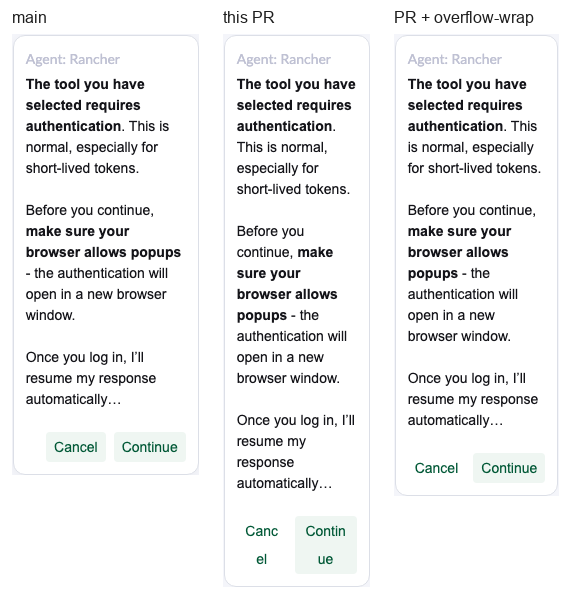
MCP sign-in buttons split mid-word near the narrowest panel

McpAuthenticationRequest.vue:237 (same block in SystemMessage.vue and StatusInfo.vue)
UI + code

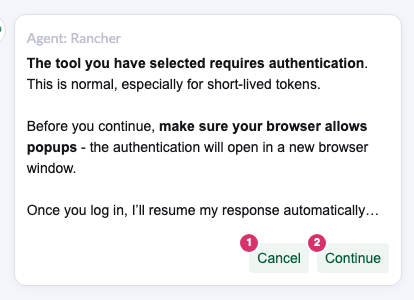
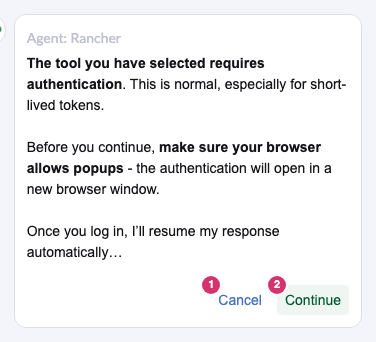
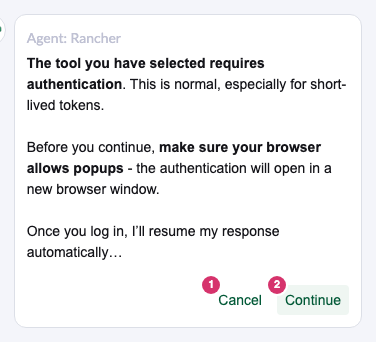
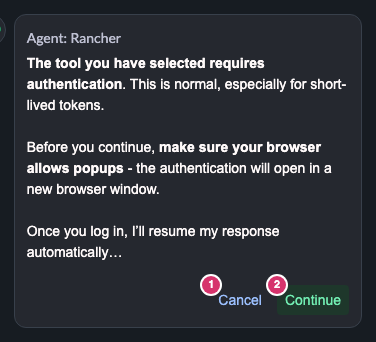
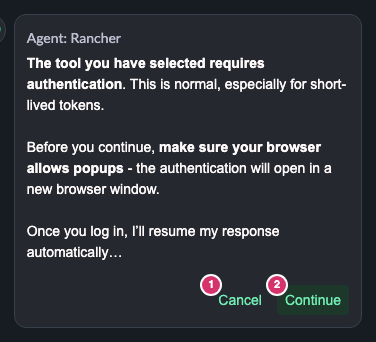
Dragged to 250 to about 265px (the panel minimum is 250), Cancel and Continue read "Canc/el" and "Continu/e". On main they stay whole. word-break: break-word lets the buttons shrink below a word, and this row doesn't wrap. With overflow-wrap: break-word instead (tried in the browser), the words stay whole and the recommendation buttons still wrap like in torchiaf's screenshot. list-style-position: inside in the same block does nothing on a span.

MCP buttons at a 250px panel: main, this PR, and with overflow-wrap
2

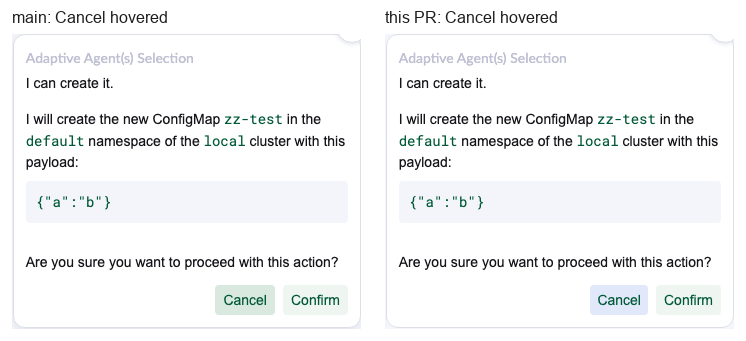
Hovered Cancel: green text on the blue link tint

Confirmation.vue:267 (the temporary rule, also in 3 other files)
UI, question

The temporary rule only sets the text colour. The hover background still comes from the shell's link style (--accent-btn, blue), where main had the green tertiary hover. Either the rule also sets the hover background, or it goes into shell issue 19809.

Hovered Cancel on main and on this PR
3

The new Show more / Show less toggle has no aria-expanded

StatusInfo.vue:237
Code, suggestion

Since d7cc2d3 it is one button that opens and closes the extra info, so the checklist's state-exposure rule applies. The label already switches, so it is small. Good part: focus now stays on the button (main lost it on every click) and long names wrap (main overflowed by 118px).

4

A dead CSS rule on the planning Cancel

StatusInfo.vue:263 (the rule is at line 498)
Code, nit

With link, .cancel-button { background: transparent; } no longer does anything: the background measures the same as the other four Cancels at rest and on hover. The class itself is still used by the unit tests, so only the rule goes.

5

Optional questions, not in the suggested text

Your call

Left out on purpose: the ShowYaml / ShowYamlDiff guards that can never trigger; the temporary rule being copied into four files (one place would need :deep or global CSS, both against the checklist); no unit test for the toggle (Cypress covers it, gap from PR 338). The bump adds no deprecation warnings (small already warns on 3.0.14), and the MCP Cancel moving off the deprecated tertiary prop removes one.

6

e2e red: a flaky scroll test, not this PR

cypress/e2e/tests/features/chat/chat.spec.ts:1221
FYI

"It should not scroll when interacting with actionable items (expand/collapse of planning messages)" failed 3 of 3 at 5d64721: after collapsing the plan, the last message was visible. It passed this morning at d7cc2d3, and the two commits since are colour and label wrapping only; the plan in that test has no buttons or extra info. An exact Playwright replay at the Cypress viewport (1000x660) passed 10 of 10 on the PR package and 10 of 10 on main. Likely a race in useScrollComposable: scrollToBottom unhooks the scroll listener until the next frame and then forces "at bottom", so a scroll in that frame is lost. Two other tests failed once and passed on retry. Needs a re-run of the failed job; I haven't triggered it.

4. What was checked
CheckResult
Real build-pkg swapped into mf 2.16, light and dark, against main and f4a5fa6Colours as in section 1, all Cancels still send their answer (no, authentication_canceled, dismiss)
The PR preview (standalone build)Same colours and behaviour as the real package
Narrow panel sweep, 250 to 340pxCard 1. The recommendation buttons no longer scroll sideways (main does at 250 and 260)
Show more / Show lessOne toggle, focus kept, Enter works, long tokens wrap
Code review against the team checklistNo blockers, all style blocks scoped, no :deep, no v-html; cards 1, 3, 4
CI at 5d64721unit, lint, i18n green; e2e red on the flaky scroll test (card 6); yarn install --frozen-lockfile passes
Not checkedA real agent conversation (replies scripted), Firefox and Safari, a screen reader
5. Suggested review (Comment, nothing posted)

Body

Thanks, the planning Cancels and the shadow are fixed and the inline additional info works. A few small things below, none of them blocking.

McpAuthenticationRequest.vue:237, with the 250px image

When the chat panel is dragged near its narrowest, Cancel and Continue here break in the middle of the word. word-break: break-word lets the buttons shrink below a word, and this row doesn't wrap. overflow-wrap: break-word keeps the words whole, and the recommendation buttons still wrap like in your screenshot. The same block is in SystemMessage.vue and StatusInfo.vue. list-style-position: inside can also go, it does nothing on a span.

Confirmation.vue:267, with the hover image

The text is green now, but on hover the background is still the blue tint from the shell's link style, on main it was green. Is that OK until the shell fix, or should this rule set the hover background too?

StatusInfo.vue:237

Since this is one toggle now, could it get aria-expanded so screen readers hear whether the info is open?

StatusInfo.vue:263

With link, the background: transparent on .cancel-button further down doesn't do anything anymore. The class is still needed for the tests.